Making IoT Fit Your Business Structure with Custom Databases from Blynk
Keep business structure and IoT data in one system. Blynk removes the need for parallel tools and manual stitching.
Published
February 17, 2026
Author
Pavlo Bayborodin
Your IoT platform should respect the structure your business already has. With Blynk's Custom Databases, you can model hierarchies, reference data, and device context inside the platform, instead of maintaining them separately.
Most businesses have a structure that predates their IoT projects. Customers, projects, sites, assets, schedules. Your team knows how these things connect. Your processes depend on it.
IoT platforms handle device data well. What they don't handle is the business data that gives device data meaning: product specifications, rental agreements, maintenance schedules, project hierarchies. That context ends up in spreadsheets, CRMs, or project management tools.
This creates friction in daily operations, not just troubleshooting. Tracking which devices are deployed where, what context they're operating in, what reference data applies to them. As deployments scale, that friction compounds.
Custom Databases: Matching the Map to the Terrain
Custom Databases let you extend Blynk's data model to match your actual business structure: custom fields, relationships between records, and reference data that has nothing to do with devices.
The pattern is consistent across industries. Businesses have hierarchies and relationships that matter. IoT projects work better when they fit inside that existing logic.
HVAC Service: Technicians, Sites, and Equipment in One System
HVACR service companies manage complexity across multiple dimensions: clients, sites, equipment units, maintenance schedules, and the technicians who keep it all running.
A typical structure looks like this:
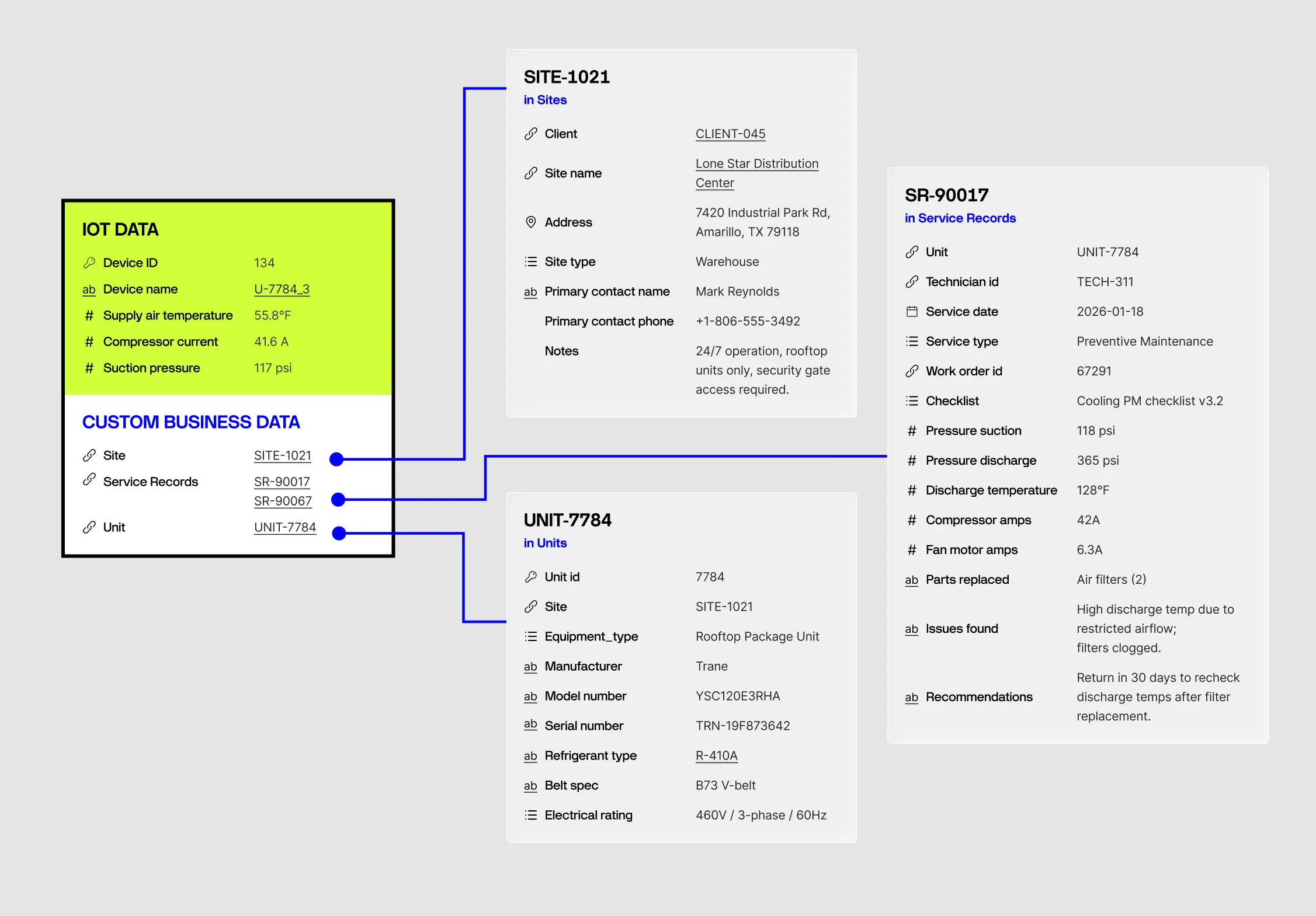
Company → Clients → Sites → Units → Service Records
Each unit has specs that matter during service: serial number, refrigerant type, tonnage, filter sizes, belt specifications, electrical ratings. Each service visit generates data: maintenance checklists completed, refrigerant readings, electrical measurements, parts replaced, issues found.
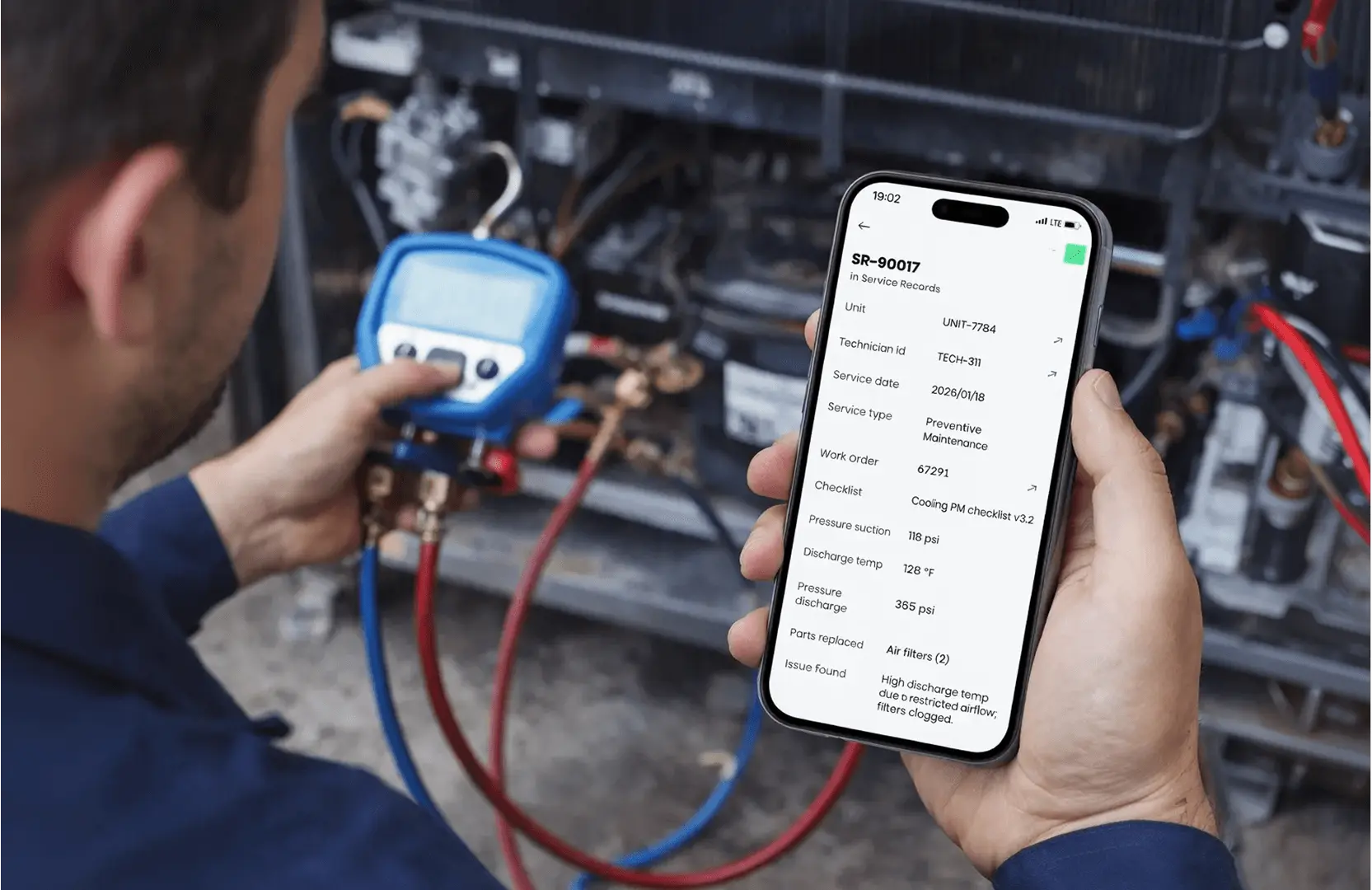
When a technician arrives on site, they need more than a work order. They need the unit's history, its equipment specs, and the standardised procedures that apply. When discharge temps run high or refrigerant pressure drops, the office needs to trace back: who serviced it last, what readings were taken, what parts were used.
With Custom Databases, the hierarchy exists inside the platform:
Tables for each entity: Clients, Sites, Units, PM Visits, Service Calls, Refrigerant Logs
Compliance built in: Refrigerant tracking isn't optional—EPA Section 608 requires leak rate calculations for larger systems. Structured data linked to units makes compliance straightforward.
Relationships between them: A service record references its unit, its site, its client, and the technician who performed it
Reference data that travels with the equipment: Unit specs, PM schedules, target parameters, component models
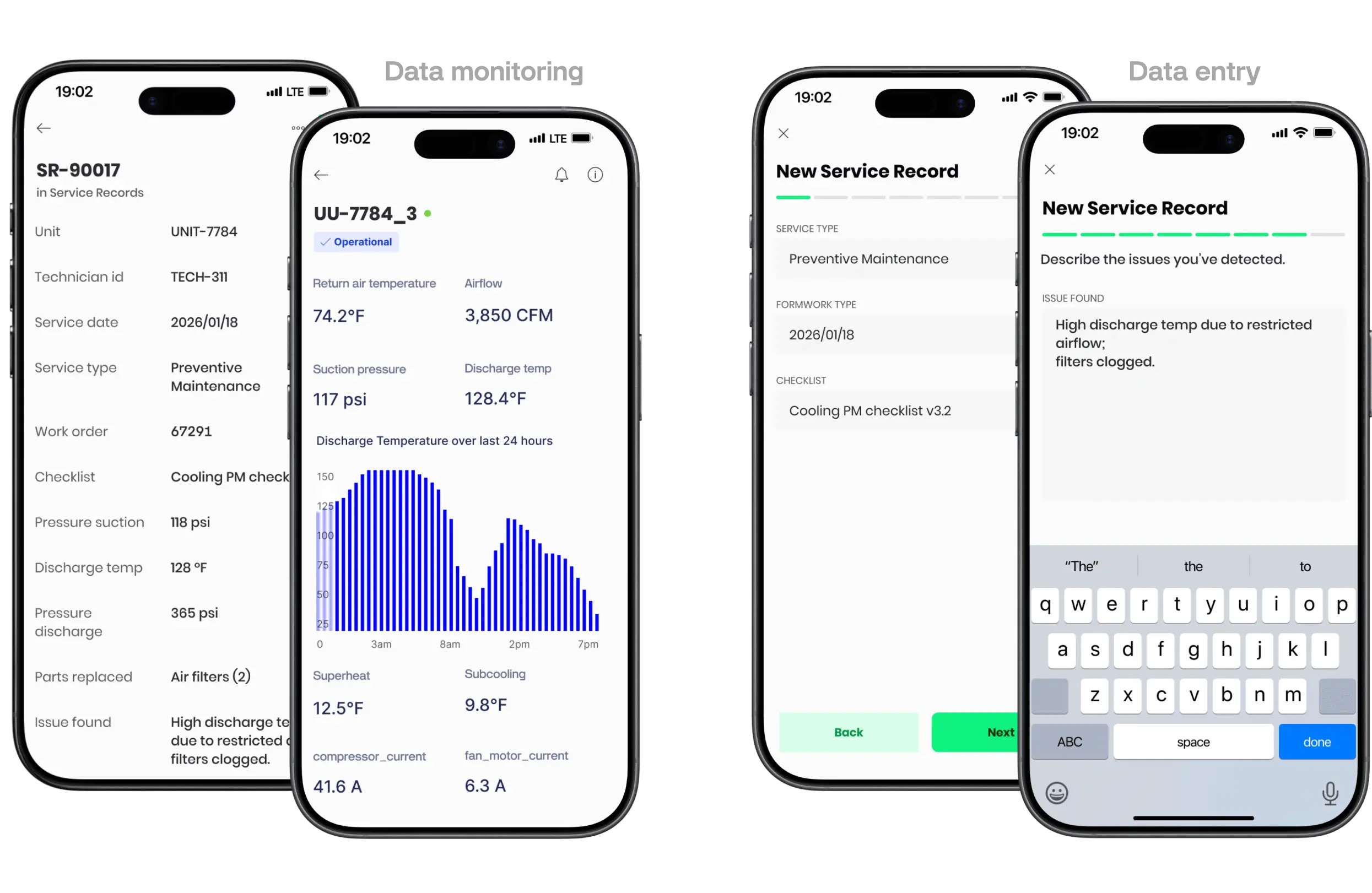
Mobile app integration: Technicians work through checklists and capture readings in the same app that shows live discharge temps and supply air conditions
The mobile app walks technicians through multi-step service workflows. A PM visit might include visual inspections, a system checklist (coil cleaning, belt tension, electrical connections), and performance measurements like superheat, subcool, and static pressure. Each step is captured as structured data, not free-form notes.
When a high discharge temp alert fires or refrigerant pressure drops, the context is already there. Same view as the sensor data. The office can see which technician last visited, what they found, and whether the issue was flagged before.
What This Enables
Devices in Business Context
Every device in the system has a clear relationship to the business entities that matter. A sensor isn't just "Device #4521." It's the discharge temp sensor on Building 3's rooftop unit, last serviced on December 19th, currently showing 185°F against a threshold of 200.
This changes how alerts get handled. "Discharge temp is climbing" becomes "the RTU we serviced last week is running outside parameters, and here's the service history."
One System for Monitoring and Data Entry
Mobile app flows match how operations actually work. A technician completing a PM visit doesn't switch between apps. They see live equipment status, work through their checklist, log refrigerant readings and amp draws, and note any issues, all in one place.
Multi-step forms with conditional logic ensure consistency across the team. Every technician follows the same procedure, captures the same data points, and the results land in structured tables that the office can filter, export, and analyse.
Faster Diagnosis
When an issue occurs, the full context is immediately visible: which client, which site, which unit, recent service history, refrigerant charge trends.
For service businesses, this traceability matters. It's the difference between resolving an issue on the first visit and making repeat trips because context was missing.
Other Use Cases
The pool service example is specific, but the pattern applies elsewhere.
Pool & Water Treatment Service: Same structure, different equipment. Technicians need checklists for filtration maintenance, UV lamp status, chemical dosing. Service records link to specific pool systems at specific clients. Water quality readings and equipment status live in the same view.
Equipment Rental: Rental companies track which customer has which equipment, rental terms, maintenance schedules. Custom Databases model these relationships directly: customers, contracts, equipment types, the devices assigned to each rental, and billing tiers.
Manufacturing: Custom data transforms the platform from a monitoring tool into a context engine. It allows users to wrap raw sensor data in the layers of business logic (recipes, batches, components, personnel) that actually drive operations.
Fleet Management: Raw data like speed, location, and fuel level only tells half the story. To run a profitable fleet, you need to link that data to vehicles, drivers, routes, and maintenance schedules. Custom Databases move you beyond dots on a map to integrated logistics management.
In each case, the value comes from the same place: making the IoT data model match the business data model, so operations work inside one system instead of stitching together several.
The Bottom Line
IoT projects struggle when they force businesses to adapt their operations to match the platform. They work better when the platform adapts to match the business.
Custom Databases remove the friction that comes from parallel systems, manual data stitching, and context that lives outside the platform. When your business structure is the structure, onboarding, diagnosis, compliance, and day-to-day operations all get simpler.
This matters more as AI-driven analytics become common. Models need context to produce actionable insights, not just raw telemetry.





.webp)

.png)


