Offline Automations: Your Device Logic Shouldn't Depend on the Cloud
Blynk offline automations run schedules and threshold rules directly on the device, so your IoT product keeps working when the connection drops.
Published
July 9, 2026
Author
Henrik Holen
Your automations shouldn’t stop when the connection does
Most IoT automations run in the cloud. The device sends data up, the platform checks the rules, and if a condition is met it sends a command back down. That works until the connection drops. A device on a satellite link, in a cellular dead zone, or on a site where the network goes down for an afternoon stops receiving those commands. The automation doesn’t pause and catch up later. It simply never runs.
For scheduled lighting, that means lights that don’t come on at dusk. For climate control, it means a cooling system that doesn’t respond to a temperature spike. For irrigation, it means a cycle that doesn’t run. The device had the data it needed to act. It just wasn’t allowed to, because the logic lived somewhere else.
Blynk’s offline automations fix this by pushing the logic to the device itself.
Same automations, pushed to the device
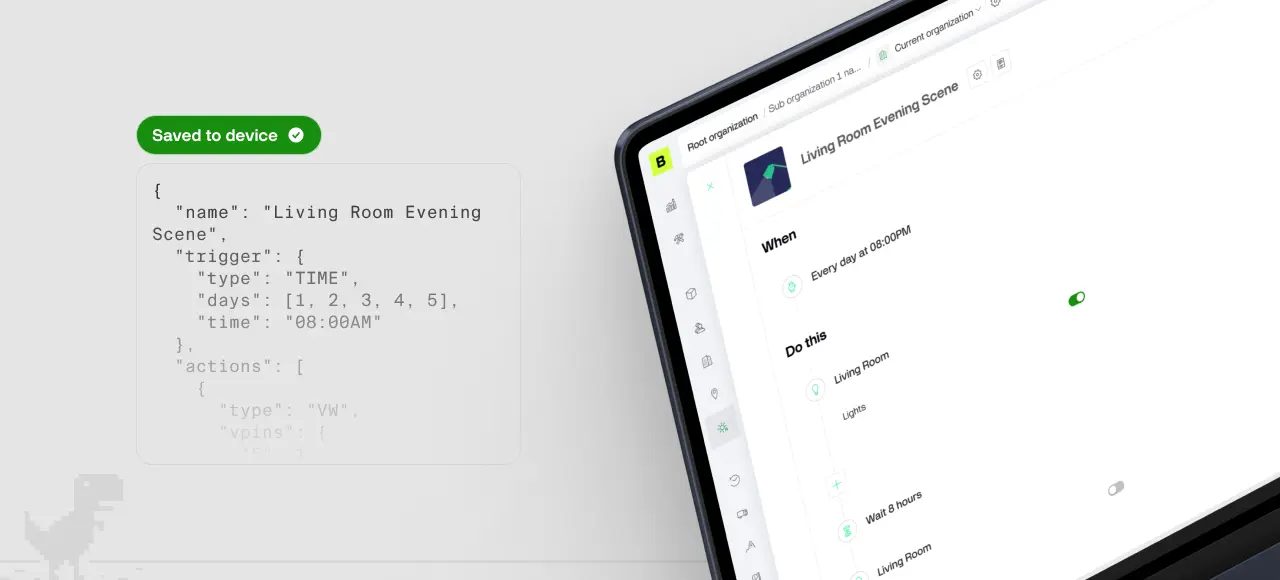
You set up automations the normal way, through the Automations tab in the mobile app or web console. The same UI, the same rules. The difference is what happens next: Blynk sends the automation to the device, and the device stores it and runs it locally.
When the device is online, the cloud and the device both know what’s happening. When the connection drops, the device keeps running the automation on its own. When connectivity returns, results sync back to the cloud. No gap in behavior, no missed actions.
The device handles everything it can execute locally. The cloud only steps in for things the device can’t do by itself, like sending a push notification or triggering an action on a different device.
What the device can run on its own
Two types of triggers work offline:
Condition-based triggers. The device watches its own sensor readings and acts on thresholds. “When temperature exceeds 30°C, turn on the fan.” “When soil moisture drops below 20%, open the valve.” The device has the reading, it has the rule, it doesn’t need the cloud to make the decision.
Schedule-based triggers. Time of day or sunrise/sunset, on chosen days of the week, with optional offsets. “Thirty minutes before sunset, Monday through Friday.” The device calculates sunrise and sunset for its location, so timing tracks the seasons without anyone updating it.
Actions include setting values on the device’s datastreams (turn an output on, write a setpoint, switch a mode) and wait steps (pause for a set duration or until a specific time before continuing to the next action).
Chain those together and you get real sequences running entirely on the device. Cooling that responds to a temperature spike regardless of connectivity. Lights on at dusk, dimmed at 22:00, off at sunrise. Irrigation that runs at 06:00 for ten minutes. A ventilation cycle that holds for an hour and then steps down. None of it depends on the device being online when the moment arrives.
Where this matters most
The value shows up anywhere the connection can’t be assumed and the device still needs to act.
Remote and off-grid deployments. Agricultural sites on satellite links, solar street lighting spread across areas with patchy cellular, equipment on NTN connections where gaps are part of the design. The device keeps working between connectivity windows. When it reconnects, you see that everything ran as it should have.
Connectivity-resilient products. If you’re building a product that customers depend on, “it stops working when the internet drops” is a hard conversation. Offline automations mean the core behavior holds through outages. The cloud is where you watch it and manage it, not something it needs just to function.
Simple local logic without custom firmware. The alternative to offline automations is writing the logic into the device firmware yourself. That works, but it means maintaining two versions of the same rules: one in the app for the user, one in the firmware for the device. With offline automations, the user sets it up once in the app, the device receives it, and both stay in sync.
Supported on Blynk.Edgent
Offline automations are available on Blynk’s Enterprise plan for customer using Blynk.Edgent. The handling for receiving automations, running them on schedule or on threshold, and reporting back is already built in. You’re adding resilient local behavior without writing the scheduling and state management yourself.
It’s a small change in where the logic lives. For anything deployed in the field, it means the device does its job whether or not the cloud is reachable, which is most of the time.
If you’re building connected products that need to keep working when the connection doesn’t, get in touch.
Sign up for a newsletter
Get latest news from Blynk
Over 500,000 people already signed up our newsletter. We never spam.
Thank you! Your submission has been received.
Oops! Something went wrong while submitting the form.






.png)